
Lloyds, Halifax and Bank of Scotland: statement downloads
Updated · 2 min read
The desktop apps export date, description, and amount as CSV. Open CSV in Excel to save an XLSX workbook. Statement support varies: verify the result against your own PDF.
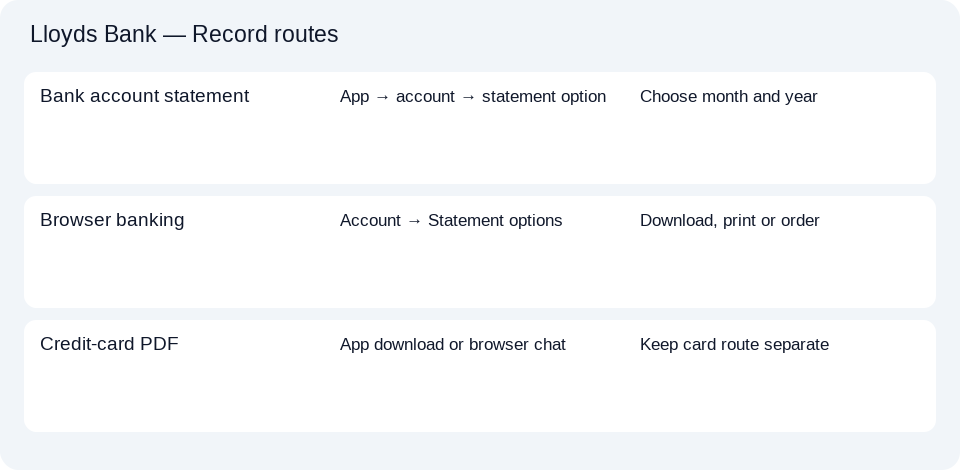
Open the statement options for your bank
These separately verified official guides describe the routes:
| Bank | Official guidance | App entry |
|---|---|---|
| Lloyds | Download statements | Account → three-dot menu → Download or print statement |
| Halifax | Download statements | Account → download icon or three-dot menu → Download or print statement |
| Bank of Scotland | Download or order a statement | Account → download icon or three-dot menu → Download or print statement |
Choose the available month and year, then save or print the document. In each bank’s browser service, start with Statement options on the account page instead.
Check the app before ordering an older record
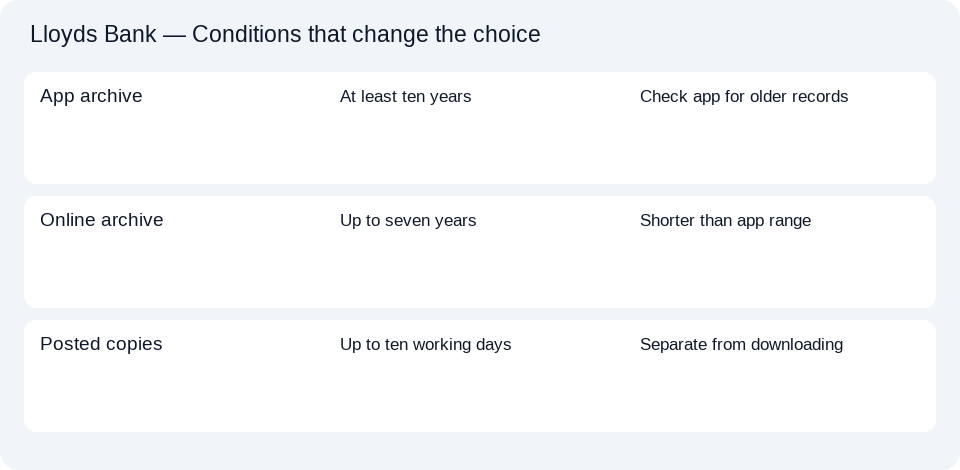
Each linked bank guide independently gives the ten-year-or-more app and up-to-seven-year online ranges. If the required year is outside the browser range, check the app first. The shorter browser window does not by itself show that the bank cannot supply the document.
Use the credit-card route for a card bill
All three official guides distinguish credit-card PDFs from the ordinary account statement menu. Download a card PDF (Portable Document Format) in the app; in browser banking, ask through online chat.
The guides also distinguish ordering paper from downloading an existing file. Posted copies can take up to ten working days.
Read the Halifax transition notice narrowly
The Halifax help page says customers who do not use online or mobile banking can set up the Lloyds app using existing Halifax details. This is a scoped instruction for those customers, not proof that every Halifax account has already moved or that all historical statements have migrated.
It also does not establish a Bank of Scotland migration.
Retrieval planner · CSV and Excel guide.
Use the at-least-ten-year app range for a Lloyds, Halifax or Bank of Scotland statement beyond the browser’s seven-year window. Allow up to ten working days when ordering a posted copy; the Halifax app setup notice applies only to the customers it names.
LocalExtract processes one PDF locally into date,description,amount CSV. Excel can save that CSV as XLSX. Check the extracted rows against the source. Download options and limits.
Official sources checked October 14, 2026. This guide brings the bank’s document and export choices together.
LocalExtract Team
We build LocalExtract, a desktop bank statement converter. Questions or corrections? Contact · Editorial policy