
Kickstarter funding total and bank payout differ: separate the populations
Updated · 4 min read
For a Kickstarter creator comparing a successful campaign’s displayed funding with a bank payout, start with collection states rather than subtracting an assumed fee percentage. The project-page total, collected pledges, payout record and bank credit are different populations. Keep the campaign and the time of the status observation attached to every comparison.
The desktop apps export date, description, and amount as CSV. Open CSV in Excel to save an XLSX workbook. Statement support varies: verify the result against your own PDF.
Why the project total can remain higher
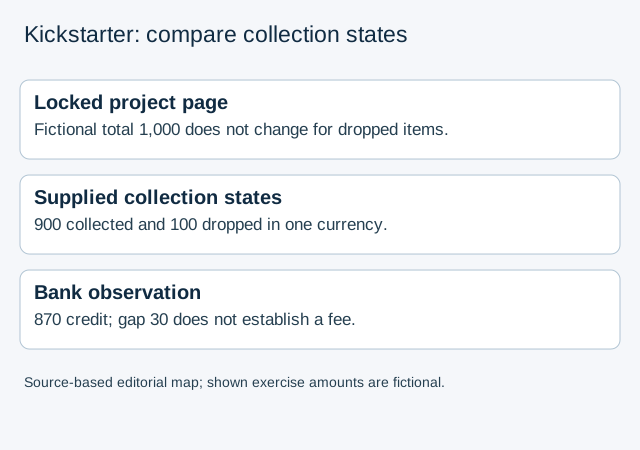
Kickstarter’s post-campaign funding help says the amount and backer count on the project page lock when the campaign ends; dropped pledges do not reduce that display. It directs creators to sort the Backer Report by collected or dropped pledges. A lower eventual receipt is therefore not explained simply by re-reading the locked page.
Using the authorised creator view, preserve the campaign identity, closing total and observation time. Inspect the report’s current collection states and retain the included population. Do not invent a report-download menu or presume a universal export schema from this sorting instruction.
Read the applicable collection state
The pledge-problem help distinguishes successful collection, unresolved payment attempts and dropped pledges. Its ordinary failed-pledge window is seven days from the deadline. For Pledge Over Time, it specifies seven days for the first charge and fourteen days for the second and third. Apply the relevant feature and charge number rather than one deadline to every pledge.
| Observed state | Evidence implication |
|---|---|
| Collected | Successful collection recorded; still compare with the applicable payout population |
| Pledged | For Pledge Over Time, final collection is not yet complete |
| Errored | Failed attempt needs its applicable observation/grace-period context |
| Dropped | The pledge was not successfully collected under that process |
| Disputed | A collected charge is being challenged; do not treat it as an ordinary dropped pledge |
Keep campaign pledges, instalment events, Late Pledges and outside-platform arrangements separate until their applicable records are available. The general funding article and feature-specific help should not be combined into a blanket claim that every later contribution is impossible. This guide does not establish Late Pledges rules or a settlement treatment for disputes.
Work through a constructed comparison
Suppose an ordinary-pledge campaign has a locked 1,000 total in one currency. A supplied review record identifies 900 as collected and 100 as dropped. Those stated categories account for the locked 1,000; they do not show that a bank payout must be 900.
If the observed bank credit is 870, the difference from collected funds is 30. Without the applicable actual fee and payout records, that 30 is unexplained, not a verified platform fee. The finite collection case supplies no fee rate, provider settlement schedule or cause for the bank difference.
Open the exact payout funding summary and fee invoice
In the authorized creator account, use Payouts & Taxes in the project’s left navigation, then select the particular payout. Kickstarter’s funding-summary and invoice instructions identify gross pledges, dropped pledges, refunds, the Kickstarter fee and the payment-processing fee in this view. View invoice opens a printable web page; retain that document alongside the more detailed funding summary.
The summary normally appears about 48 hours after the bank successfully processes the payout, with extra time possible on non-business days. A missing newly initiated payout is not a zero-fee record. Keep its availability question open and return to the particular payout rather than replacing it with the public campaign total.
Record project, selected payout/date/type, currency, included funds, refunds and both actual fee amounts. Keep Late Pledges, Pledge Over Time and Pledge Manager payouts separate; the same screen can list several of these populations. Compare the summary’s resulting payout with the actual receiving bank’s amount, date and available reference. Equal amounts alone cannot identify the transfer.
In the constructed 900/100/870 case above, the 30 becomes explained only if an additional, explicitly supplied payout record identifies the same 900 population, no further adjustments and actual fees totalling 30, and the bank evidence identifies that payout. Until those missing facts exist, keep the 30 unexplained. Do not calculate fees from the locked campaign total or retrofit a generic percentage to make it balance. If the invoice information needs correction, the official help directs the creator to support; preserve the existing record and question rather than editing a vendor invoice.
Request the missing payout evidence
Both official articles limit fees to successfully collected funds. That condition does not supply a percentage or all components of a particular payout. Retain the actual creator fee/payout record, collection-state snapshot and observed bank reference before completing the comparison. Leave missing amounts or identities unknown rather than allocating the gap to fees.
The bank reconciliation guide provides the wider evidence sequence. For a PDF-only bank source, LocalExtract prepares local CSV, one PDF at a time with date,description,amount; it cannot retrieve Kickstarter reports, determine pledge status or calculate platform fees.
Official help checked October 17, 2026. The captured funding article is dated August 6 and the feature-specific pledge article September 8, 2026; the latter’s charge-specific timing matters.
LocalExtract Team
We build LocalExtract, a desktop bank statement converter. Questions or corrections? Contact · Editorial policy