
JustGiving UK: connect a charity payment report to the bank
Updated · 3 min read
For a UK charity explaining a JustGiving bank credit, start with the particular payment reference and Type. Donation and Gift Aid payments are separate evidence trails. One donation credit does not establish that Gift Aid also arrived.
The desktop apps export date, description, and amount as CSV. Open CSV in Excel to save an XLSX workbook. Statement support varies: verify the result against your own PDF.
Collect the payment report and its invoice
The official payment-report guide describes the UK charity reporting route. Establish the charity account and plan before looking for the report.
- Open Reports → Payment reports and choose a date range or Show all.
- Locate the identified payment, retaining its Reference and Type.
- Use Invoice for that payment’s fee invoice and Generate for its detailed Excel/CSV donation rows.
- Preserve actual gross amount, deductions, net amount and currency with the payment. Obtain the independent bank observation/reference separately.
- Keep a missing report, Gift Aid observation or destination receipt open. Do not combine them merely because they concern the same fundraising period.
The plan/schedule guidance distinguishes GROW payment breakdown from Start access restricted to Giving Checkout reporting. US organizations using Blackbaud Merchant Services do not receive these payment reports. This is not an all-country or all-plan walkthrough.
The invoice deduction is evidence, not a default percentage
Use the actual report and invoice. The current UK charity terms distinguish payment-processing fees from the Gift Aid service fee; generic wording on an older help page is not a universal donation rate. Nor is every unexplained difference necessarily a platform fee.
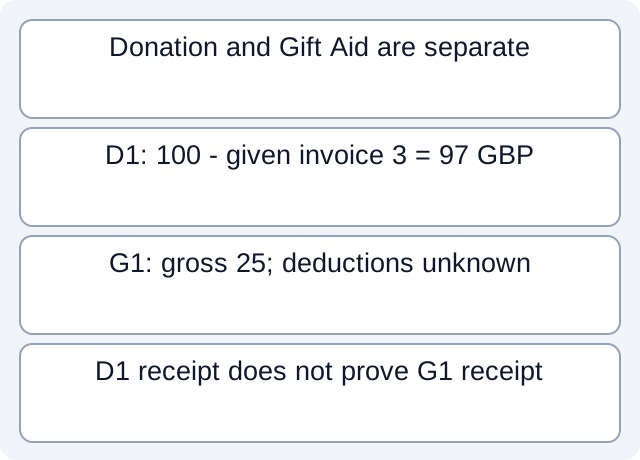
Our downloadable fictional CSV records Donation D1 gross 100 GBP with a stipulated invoice deduction 3, giving 97. It separately lists Gift Aid G1 gross 25 with deduction and bank receipt unknown. We actually read the file and calculated only the supported donation net.
| Fictional payment | Gross GBP | Deduction evidence | Bank observation |
|---|---|---|---|
| D1, Donation | 100 | Given invoice 3 | Explicitly linked 97 |
| G1, Gift Aid | 25 | Unknown | Unknown |
The 3 is a teaching input, not a quoted JustGiving rate. D1’s 97 cannot prove G1’s net, receipt or eligibility. Do not fill an unknown deduction with zero or label a missing Gift Aid amount as a fee.
Close each payment’s evidence trail separately
A platform payment date or expected schedule is not an observed bank date. Retain the report/invoice/payment reference and identify which actual destination observation supports it. Ask the authorized charity contact only for the records needed; avoid circulating donor information. This review does not change donations, request refunds or determine tax/Gift Aid eligibility.
Download the fictional payment-type worksheet and executed donation calculation. These are author-defined teaching files, not a live report or tested payout.
If bank evidence exists only as PDF, LocalExtract can prepare a local CSV, one PDF at a time, with date,description,amount. Review the extracted rows against the issued document. Use the bank reconciliation guide for the shared statement-to-ledger method.
Official documentation checked October 17, 2026.
LocalExtract Team
We build LocalExtract, a desktop bank statement converter. Questions or corrections? Contact · Editorial policy