
DBS/POSB statements: eDocuments and consolidated-account exceptions
Updated · 3 min read
Corrected October 12, 2026: debit-card eligibility, passbook/consolidated distinctions and access to pre-closure statements.
The desktop apps export date, description, and amount as CSV. Open CSV in Excel to save an XLSX workbook. Statement support varies: verify the result against your own PDF.
Open the required statement in digibank
DBS's statement guide gives these web steps:
- Sign in to digibank and complete authentication.
- From Home, open eDocuments; use the recent records or Show All.
- Choose eStatements/eAdvice, then the statement type and year.
- Select the required statement to download.
In the app use More → Quick Access/Other Services → eDocuments → eStatement, choose type/year, then the download icon to view the file. The final device save path was not tested.
eDocuments conditions distinguish PDF (Portable Document Format) transaction statements, transaction notices (eAdvices) and communications (eLetters). Statement retention is seven years; ordinary advice/letters one year, qualified by October 2026 or the earlier eDocuments enrollment date. This does not guarantee seven years already exist for every account.
Interpret consolidated and passbook records correctly
The consolidated-statement guide groups eligible deposits, investments and loans by linked mailing address.
| DBS/POSB record | Documented scope |
|---|---|
| Credit-card transactions | Separate statement |
| Passbook account in a consolidated statement | Summary balance only; update the passbook for transactions |
| Only passbook accounts held | No consolidated statement generated |
| Personal/joint fixed deposits | Specified opening/renewal/interest/maturity events added from July 2025 month-end; separate fixed-deposit statements stopped |
The statement guide separately says POSB Passbook Savings lacks its own eStatement. The eDocuments FAQ permits debit-card eStatements only when the card’s primary linked account is POSB Passbook Savings; other linked DBS/POSB accounts are ineligible. This card-document rule does not reverse the passbook account’s own exclusion.
Check whether a missing period was issued
The eDocuments FAQ says statements issued before account closure remain viewable. This does not establish every post-closure login permission, individual file or additional retention period.
The eDocuments FAQ lists distinct no-activity rules: credit card/Cashline requires no current transactions and no prior outstanding balance; debit cards depend on no current transactions. POSB Savings uses a no-transaction month, MySavings a no-transaction quarter, both retaining December's year-end statement exception.
Deposit transaction history covers six months and selected-transaction detail sharing. It does not establish a current whole-history CSV (comma-separated values) format, columns or export window.
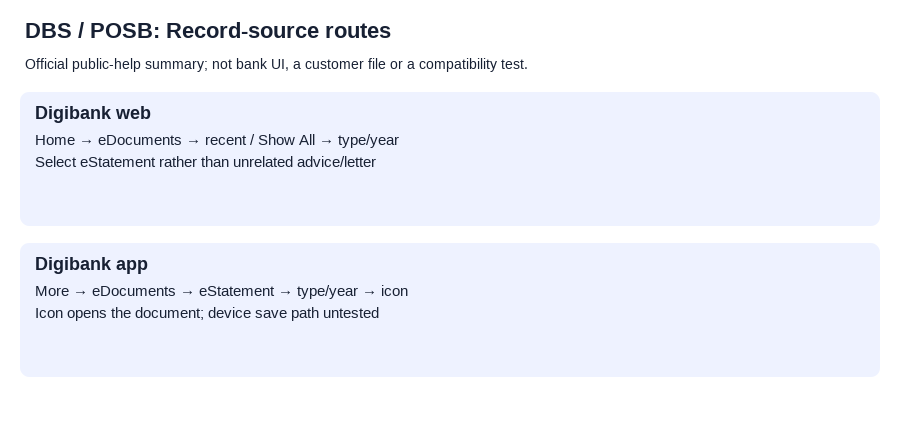
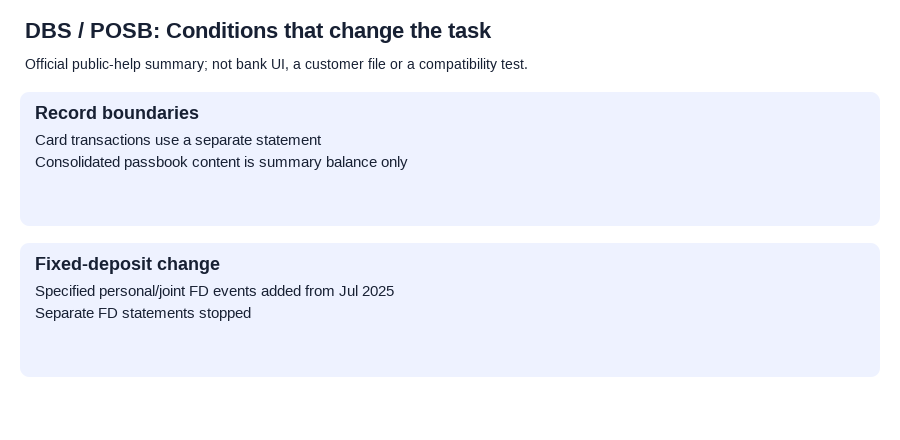
Blank DBS / POSB source checklist.
Prepare the analysis copy
See CSV formatting and checks when preparing an Excel copy.
LocalExtract processes one PDF locally to date,description,amount CSV; Excel can save that CSV as an XLSX workbook. Downloads and limits.
Select the eStatement type and year, checking the passbook, card and consolidated-record rules when a period appears missing.
Official sources checked October 12, 2026.
LocalExtract Team
We build LocalExtract, a desktop bank statement converter. Questions or corrections? Contact · Editorial policy