
Reckon One: check unallocated history before another bank upload
Updated · 3 min read
Before retrying a historical bank upload in Reckon One, preserve the unallocated observations already present. Reckon’s current upload help says a manual upload overwrites imported transactions not yet allocated. Treat the retry as an operation requiring a preservation decision, rather than a harmless way to inspect more history.
The desktop apps export date, description, and amount as CSV. Open CSV in Excel to save an XLSX workbook. Statement support varies: verify the result against your own PDF.
Preserve the source and allocation evidence
This guide concerns an Australian Reckon One user inspecting an existing account. An unallocated observation is bank-side information still awaiting action; an accounting transaction is the separate object in the books. They are not two payments merely because both appear in an investigation.
- Open Banking → Bank transactions and record the intended bank account.
- Retain the top-right Upload Source, Date of last import and Completed summary. Keep the original source file and the issued bank record independently.
- Inventory unallocated observations and any existing accounting-object relationships before choosing another file. “Date of last import” is not the complete transaction-date range.
- Compare the proposed file’s account, period and identified events with that inventory. Mark omitted or uncertain source records explicitly.
- Hand the preservation and coverage findings to the authorized person before any upload. This inspection does not select Manual upload, accept a match or delete a record.
The documented upload routes include Banking → Bank accounts → More → Upload transactions file and Banking → Bank transactions → Manual upload. Native QIF, CSV and TXT availability does not remove the overwrite warning; CSV/TXT need mapping. Do not proceed merely because a file has an accepted extension.
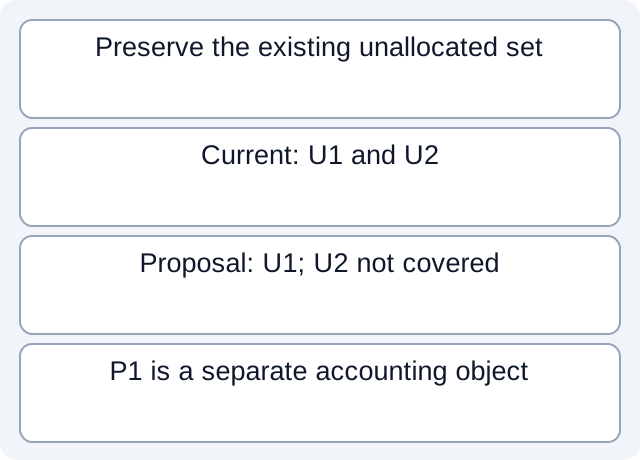
An omitted observation is a preflight gap
The fictional downloadable inventory has U1=10 AUD and U2=20 AUD unallocated. The proposed file explicitly covers U1 but not U2. P1=10 AUD is a separate actioned accounting object; equal 10 does not establish that it represents U1.
| Fictional object | Layer | Covered by proposed source? |
|---|---|---|
| U1 | Unallocated bank observation | Yes |
| U2 | Unallocated bank observation | No; preserve its evidence |
| P1 | Actioned accounting object | Unknown relationship |
We read the CSV and compared the identified unallocated set with the proposal: U2 is not covered. This calculation does not predict exactly which live records an upload would replace or preserve. It gives the responsible person a concrete evidence gap before deciding about an operation.
Allocation, cleared and reconciliation remain distinct
The Bank Transactions guide describes suggestions based on equal amounts within three days either side, and actioned observations moving to Reckon One transactions marked cleared. Those criteria identify candidates; they do not establish event identity. The older page’s menu wording is not used here as a current navigation guarantee.
Completed in the upload summary describes allocation, not a completed statement reconciliation. A cleared accounting object does not prove that all bank observations for the intended period arrived. Keep these states in separate columns and link the shared CSV overlap method for actual source comparison; do not delete same-amount rows as a shortcut.
Download the fictional preflight inventory and executed set comparison. Our working fields are not a Reckon import schema. No upload, overwrite, allocation or matcher was tested.
For a PDF-only bank source, LocalExtract can extract a local CSV from one PDF into date,description,amount. Review the rows and prepare any target copy separately; LocalExtract does not connect to Reckon or preserve its allocation state for you.
Official documentation checked October 17, 2026.
LocalExtract Team
We build LocalExtract, a desktop bank statement converter. Questions or corrections? Contact · Editorial policy