
OCBC Singapore statements: current document access and archive limits
Updated · 2 min read
Corrected October 12, 2026: current archive, joint-account eligibility and document-versus-dashboard limits.
The desktop apps export date, description, and amount as CSV. Open CSV in Excel to save an XLSX workbook. Statement support varies: verify the result against your own PDF.
Find the issued statement
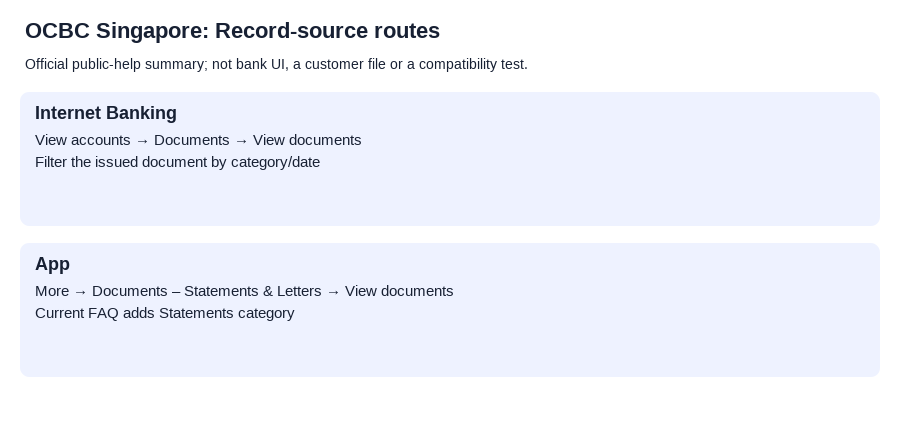
OCBC's document guide gives this Internet Banking path:
- Sign in and open View accounts.
- Select Documents, then View documents.
- Use the category and date filters to find the required statement.
The guide establishes document access; it does not name a final universal PDF-save button.
In the app use More → Documents – Statements & Letters → View documents. The current app FAQ additionally lists Statements as the selected document category. The document-service FAQ says statements/letters are PDF (Portable Document Format), savable/printable; the final device save button was not tested.
Apply the current document-service conditions
The service FAQ records these distinct limits:
| OCBC condition | Published scope |
|---|---|
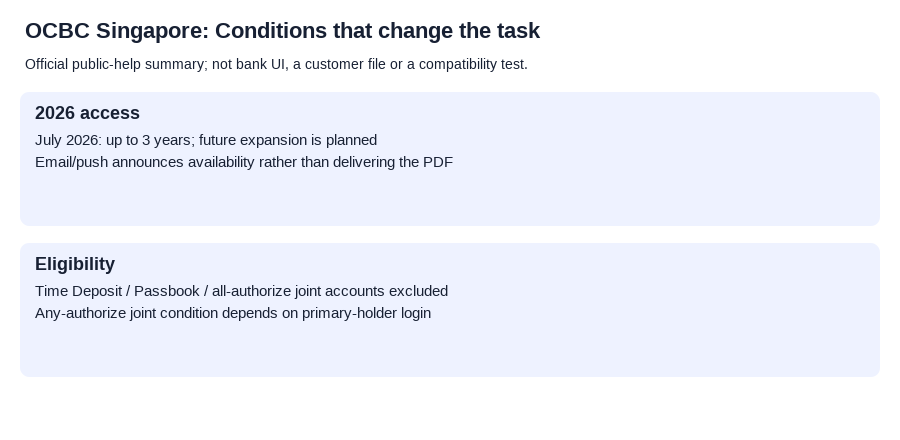
| June 30, 2026 delivery change | View files online; email/enabled push announces availability; existing paper recipients continue by post |
| July 2026 archive | Up to three years; four years planned for 2027, five for 2028, eventually seven |
| Excluded products | Time Deposit, Passbook Savings and all-holders-authorize joint accounts |
| Electronic selection before generation | Available from the next cycle; generation-to-visibility may take up to two working days |
The future seven-year plan is not today's archive.
For an any-holder-authorize joint account, electronic access for all holders depends on the primary holder having logged into app/Internet Banking since July 2025; otherwise documents go to the account address. A date filter cannot overcome that eligibility condition.
Keep activity and statement retrieval separate
The current app FAQ describes account activity under Accounts → selected account. Its seven-day dashboard initially shows ten transactions; See more reaches up to fifty. This dashboard limit is not the entire account-history or download window. A current personal native CSV (comma-separated values) workflow is not established by those viewing instructions.
Blank OCBC Singapore source checklist.
Prepare the analysis copy
See CSV formatting and checks when preparing an Excel copy.
LocalExtract processes one PDF locally to date,description,amount CSV; Excel can save that CSV as an XLSX workbook. Downloads and limits.
Use the PDF document service’s current three-year scope and joint-account eligibility; a dashboard’s fifty rows cannot establish a complete archive.
Official sources checked October 12, 2026.
LocalExtract Team
We build LocalExtract, a desktop bank statement converter. Questions or corrections? Contact · Editorial policy