
Nationwide Statements to Excel: CSV and Available-Balance Checks
Updated · 6 min read
Convert the issued current-account cycle, not a limited recent-activity view. This guide covers the UK product and the task described below.
The desktop apps export date, description, and amount as CSV. Open CSV in Excel to save an XLSX workbook. Statement support varies: verify the result against your own PDF.
Choose the historical record you intend to reconcile
Nationwide’s current-account page distinguishes fifteen months of transaction viewing from thirty-six months of PDF statements. Use the document collection route when you need a historical cycle. These public sources do not establish a native CSV export route, so do not invent one. Inspect a suitable native file if your account offers it; otherwise work from the actual PDF.
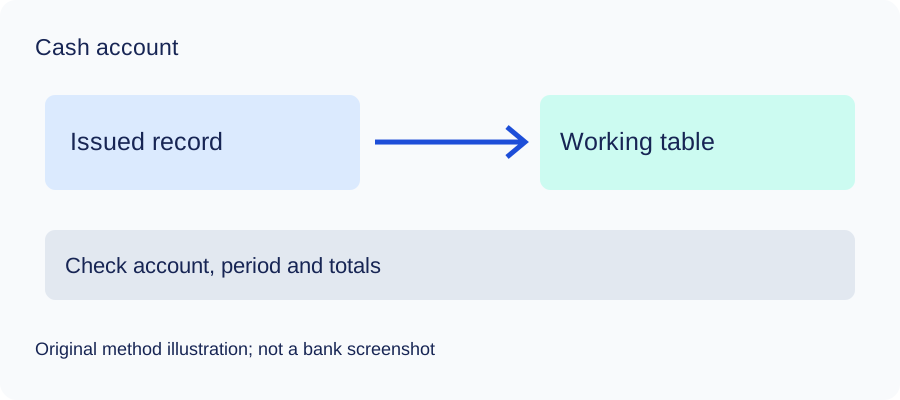
This guide covers identifiable current-account cash movements. It does not verify Nationwide’s PDF layout, OCR performance or LocalExtract compatibility. Keep the issued original and record its account alias, currency and actual dates before making a table. A three-field CSV omits account identity and many document attributes; retain those in a separate source register.
Pick the right balance, not whichever number is largest
Nationwide’s online help explains that available balance can reflect payments that have not left the account and cheques not yet cleared. That live figure is not automatically the closing balance of an older issued cycle. A spreadsheet made from September rows cannot be reconciled to an October availability screen without understanding the intervening and unsettled activity.
| Figure | Meaning for this task | Use in the cycle equation? |
|---|---|---|
| Printed opening balance of the chosen cycle | Historical start for this account/period | Yes, if comparable |
| Printed closing balance of that cycle | Historical end for the same account/period | Yes, if comparable |
| Today’s available balance | Live availability that can include unsettled items | No automatic substitution |
| Another account’s balance | Different source boundary | No |
This is a method-selection table, not a reproduced bank statement. If the original does not supply comparable endpoints, state that the balance equation was unavailable and verify movements individually. Do not substitute a current live balance or invent an opening amount.
Make and import the checked rows
For a deposit cash view, make posted inflows positive and outflows negative. Read the source date’s meaning, preserving a second relevant date in a manual worksheet if needed. Do not turn a pending item into a posted movement merely because it affects today’s available amount. The example below is entirely synthetic:
date,description,amount
2026-09-01,Example receipt,250.00
2026-09-02,"Example completed payment, supplies",-100.00
2026-09-03,Example fee,-10.00
Use Data → From Text/CSV in Excel, inspect comma delimiter, dates and decimal-number types, then load. Follow Microsoft’s import guide; quote descriptions containing commas according to RFC 4180. Save XLSX from Excel after checking. The converter exports CSV and does not create XLSX directly.
Compare opening plus signed movements with closing only for the same account, currency and complete printed period. If the result differs, inspect omissions, signs, pages, dates and duplicate imports. A balancing amount is not evidence of a real transaction. Even a matching total requires row-by-row comparison, because offsetting errors can leave the net unchanged.
Check the method with invented records
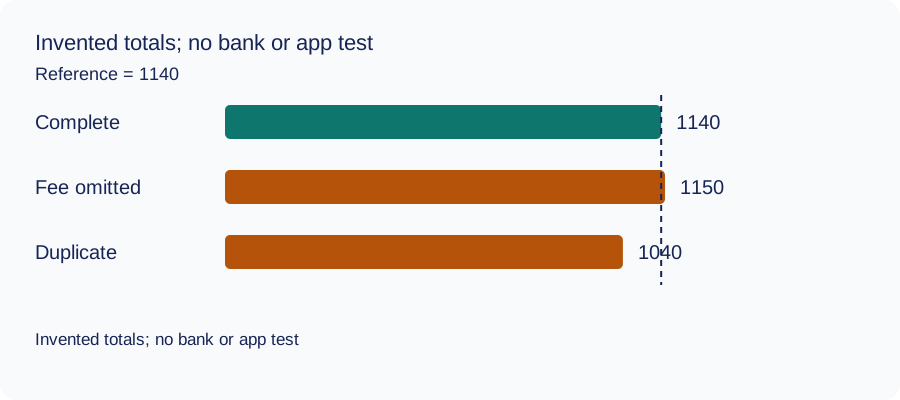
We recomputed three deliberately constructed cases on October 11, 2026 using decimal arithmetic: complete rows, an omitted fee and a duplicated movement. The reference total and every number are invented. This checks the reconciliation method only: no bank account, real PDF, OCR result or LocalExtract output was tested. The same learning aid is used across these guides.
| Case | Calculated closing total | Difference from reference |
|---|---|---|
| Complete rows | 1140 | 0 |
| Fee omitted | 1150 | 10 |
| Movement duplicated | 1040 | -100 |
Illustrative units, not a real account balance.
Download the blank document checklist or synthetic check data. CSV · JSON.
Frequently Asked Questions
Can I reconcile an old cycle to today’s available balance?
Not automatically. The available figure is live and can include unsettled items, while the cycle has its own historical boundaries.
Does the guide prove native CSV exists?
No native CSV route is established by these sources. Inspect your account’s actual options and use the relevant original PDF when needed.
Should a pending item be entered as posted?
Follow the source record’s actual status and date meaning. Do not promote it into a posted cycle merely to explain today’s available balance.
What if comparable endpoint balances are absent?
Verify the included rows and record that a balance-total reconciliation was unavailable. Do not fabricate historical balances or adjustment entries.
If PDF is the relevant source
LocalExtract processes one PDF at a time on the device and exports CSV with date,description,amount. Parsing and OCR do not require uploading the statement. This is a working table that needs comparison with the original; no bank compatibility was validated here. There is no direct XLSX, QBO or OFX export, bulk queue or automatic accounting sync. To obtain XLSX, import the checked CSV and save from Excel.
The free evaluation covers ten pages in total. Pro is USD 10/month or USD 60/year. Account, subscription, update and periodic Pro checks need network access. See downloads and product scope.
Sources and verification scope
Public official guidance checked October 11, 2026. Account controls, document availability and bank layouts were not authenticated-tested. The method exercises use invented records, not actual bank samples or measured extraction results.
Updated October 11, 2026: Added task-specific source decisions, date/amount examples and CSV import checks. No bank format or app output was validated.
Use the historical cycle’s own endpoints and posted movements, preserve the original and inspect Excel’s types before relying on the table.
LocalExtract Team
We build LocalExtract, a desktop bank statement converter. Questions or corrections? Contact · Editorial policy