
Macquarie records: statement routes and loaded transaction exports
Updated · 2 min read
Corrected October 12, 2026: exact statement menu, loaded-row exports and authorized closed-account requests.
The desktop apps export date, description, and amount as CSV. Open CSV in Excel to save an XLSX workbook. Statement support varies: verify the result against your own PDF.
Retrieve the account statement
Macquarie's statement help describes the web route:
- Hover over the account.
- I want to → View account statements and reports.
- Choose the statement; retrieve the downloaded file from the browser status bar.
In the app, select the account, I want to → View account statements, then choose/download the statement. This help does not name one universal statement-file format or device save location.
| Macquarie statement condition | Action |
|---|---|
| Past history | Two–ten years depending on account; check the actual available period |
| Some statements unavailable online | Contact a consultant through live chat |
| Closed-account statement | Authorized request through live chat; a fee may apply |
Load the relevant desktop transaction rows
The transaction-history help gives Accounts → account → scroll/filter, then the upper-right Download icon and format choice. Only transactions displayed on screen are downloaded; scroll to display further rows before repeating the download. This history-download feature is unavailable in the app.
The search guide separately supports desktop filtering by date, amount, account, type, cashflow, category or merchant. Its right-hand download arrow offers CSV (comma-separated values) or Quicken Interchange Format (QIF), again requiring further scrolling for more rows. The actual earliest history, exported columns and completeness were not tested.
Use the loaded-row export when it covers the analysis task, or request the issued statement when an original is needed. Do not infer PDF (Portable Document Format) compatibility from a documented statement-download route.
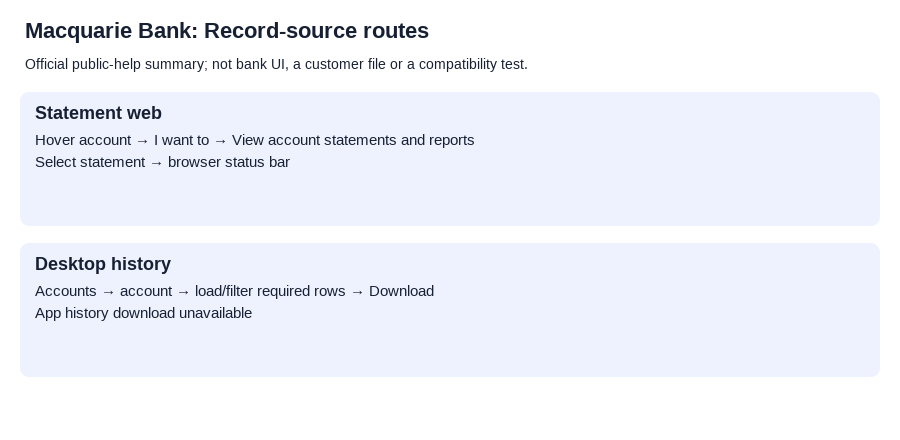
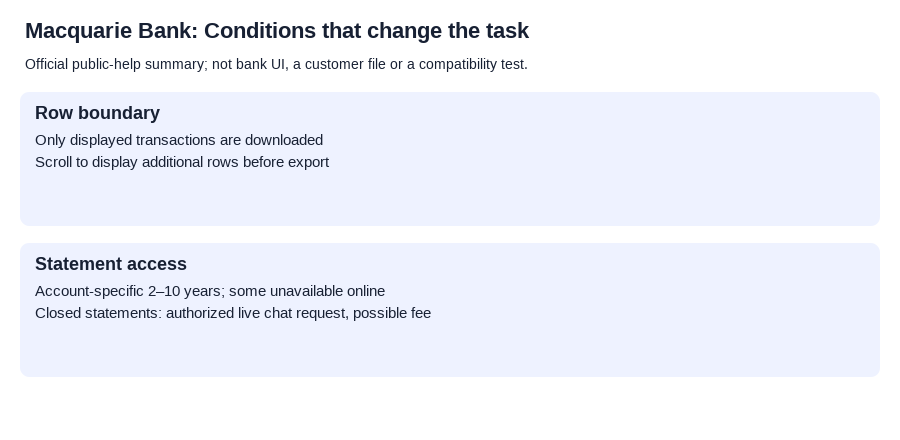
Blank Macquarie Bank source checklist.
Prepare the analysis copy
See CSV formatting and checks when preparing an Excel copy.
LocalExtract processes one PDF locally to date,description,amount CSV; Excel can save that CSV as an XLSX workbook. Downloads and limits.
Load the required rows before a desktop CSV/QIF download; closed-account statements require an authorized live-chat request.
Official sources checked October 12, 2026.
LocalExtract Team
We build LocalExtract, a desktop bank statement converter. Questions or corrections? Contact · Editorial policy