
GnuCash: assign one imported receipt to several invoices
Updated · 3 min read
For a bookkeeper using GnuCash 5.17, one bank receipt covering several invoices needs a business-payment review after import. Start with the existing receipt, one identified customer and one currency. An ordinary balanced bank split does not establish that the intended invoices have been paid.
The desktop apps export date, description, and amount as CSV. Open CSV in Excel to save an XLSX workbook. Statement support varies: verify the result against your own PDF.
Start from the receipt already imported
The GnuCash payment manual says invoice assignment cannot occur during bank import. In the asset register containing the imported receipt, select that transaction, open its context menu and choose Assign as payment.... The partly filled payment window carries information from that transaction; review it rather than creating a second receipt through an unrelated blank payment form.
Confirm the customer, existing payment amount, date, receivables account and bank/transfer account. This guide concerns ordinary customer receipts against already posted invoices. The manual warns that credit-note reimbursements can be misidentified as vendor bills by this route; stop and consult that separate case rather than treating every positive or negative bank entry as the same workflow.
Separate splits from invoice lots
A split is a transaction's posting to an account. A lot is an internal grouping used to relate business invoices and payments. The bank register can balance while the intended invoice lots remain unsettled.
The released 5.17 payment-dialog source permits multiple document selections and passes the selected lots to the owner's payment routine. For an existing transaction, changing documents does not automatically recalculate its original payment amount. This is a version-pinned code observation, not a native payment test or a promise about every GnuCash release.
- Use a backed-up book or a disposable review copy and identify the existing receipt once.
- Check that the intended posted invoices belong to the same customer and currency.
- Inspect the document selections and remaining amounts in the payment window; do not assume selection order proves the intended allocation.
- Compare the existing receipt amount with the supported invoice allocation before any authorized confirmation.
- Review invoice balances separately afterwards. A bank-account balance alone is insufficient; selecting no business documents can leave an unattached payment.
For lot inspection, the manual describes Actions → View Lots… in an A/R or A/P register. Do not delete lot links or run repair commands merely to investigate an unclear allocation.
Work through an explicitly fictional receipt
| Supplied evidence | Review conclusion |
|---|---|
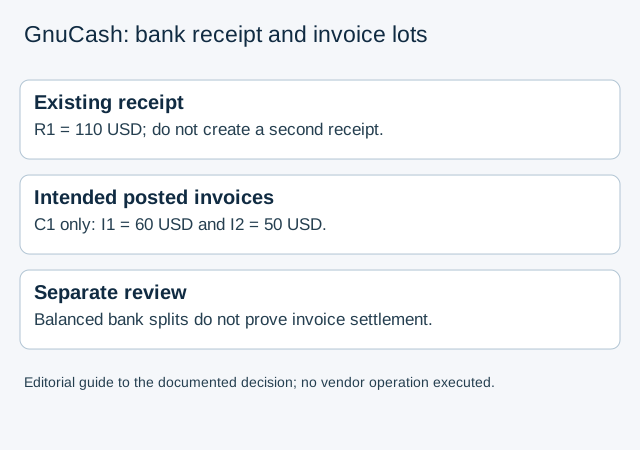
| One customer C1, posted invoices I1 = 60 USD and I2 = 50 USD, receipt R1 = 110 USD | The supplied amounts cover 110 USD; review both intended invoice lots and use R1 once |
| Same invoices, receipt only 100 USD | A 10 USD difference remains to explain; do not mark both invoices fully paid from bank balance alone |
| Customer or remittance identity absent | Keep the allocation unresolved even if the arithmetic balances |
The finite teaching data preserve these premises and Decimal calculations. They do not execute GnuCash, select a default allocation or certify a real invoice settlement. A cross-customer or cross-currency receipt is outside this case.
The existing GnuCash CSV guide handles file and ordinary split preparation; this article starts after that stage. LocalExtract can prepare a CSV from a PDF source, one PDF at a time with date,description,amount. It does not choose customers, invoice lots or business-payment allocations.
Official manual and pinned source checked October 17, 2026. Menus and business-book configuration should be checked in the installed version.
LocalExtract Team
We build LocalExtract, a desktop bank statement converter. Questions or corrections? Contact · Editorial policy