
TD Bank US statements for Excel: combined accounts and channel differences
Updated · 2 min read
The desktop apps export date, description, and amount as CSV. Open CSV in Excel to save an XLSX workbook. Statement support varies: verify the result against your own PDF.
Find the statement in US Online Banking
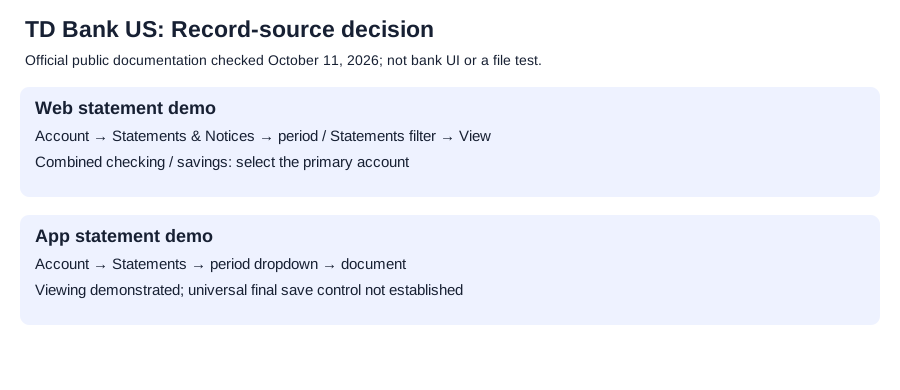
TD's public web demo gives these steps:
- Select the account; for linked checking/savings combined statements, use the primary account.
- Open Statements & Notices.
- Choose the period and Statements filter, then View.
The primary-account condition matters when a second linked account appears to lack a separate statement. Keep included-account identities in the Excel copy.
Use the app for statements and the web for notices
The US app page links its statement demo: select the account, Statements, a period from the dropdown, then the document. It loads for viewing; the demo does not establish a universal final save control.
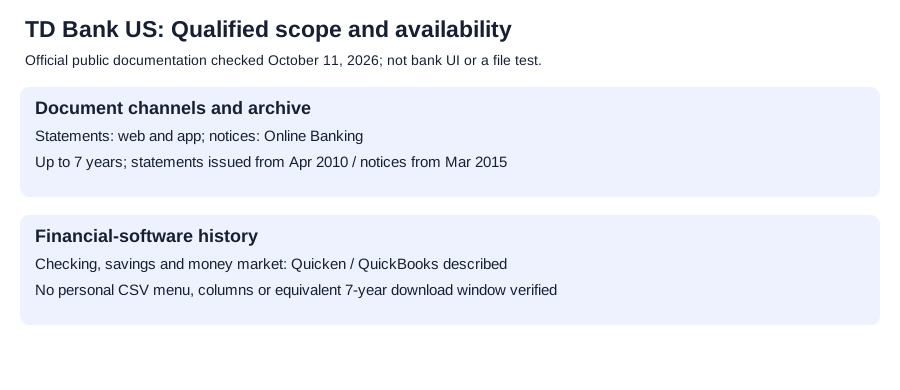
TD's US personal Online Banking page separately describes printing/downloading documents. Its comparison table lists statements through Online Banking and the app, but notices through Online Banking.
Interpret history and software downloads separately
The personal page describes this archive:
| TD US document | Published online history condition |
|---|---|
| Statements | Issued from April 2010; up to seven years |
| Notices | Issued from March 2015; up to seven years |
The issuance dates do not promise all records from 2010 to today.
It also describes downloading checking/savings/money-market balances and transaction history to Quicken or QuickBooks. That does not verify a personal CSV menu, exported columns or a seven-year software-download window.
Create the Excel copy
Transcribe readable PDF movements, retaining signs, and check against the original before saving XLSX. The CSV-format reference covers formatting.
LocalExtract processes one PDF locally to date,description,amount CSV; Excel saves XLSX. Downloads and limits.
Updated October 11, 2026: clarified combined-account selection, document channels and software-download limits.
Use the primary account for a combined statement; retrieve notices in Online Banking.
Official sources checked October 11, 2026.
LocalExtract Team
We build LocalExtract, a desktop bank statement converter. Questions or corrections? Contact · Editorial policy