
Navy Federal statements: account groups, paperless history and copies
Updated · 3 min read
The desktop apps export date, description, and amount as CSV. Open CSV in Excel to save an XLSX workbook. Statement support varies: verify the result against your own PDF.
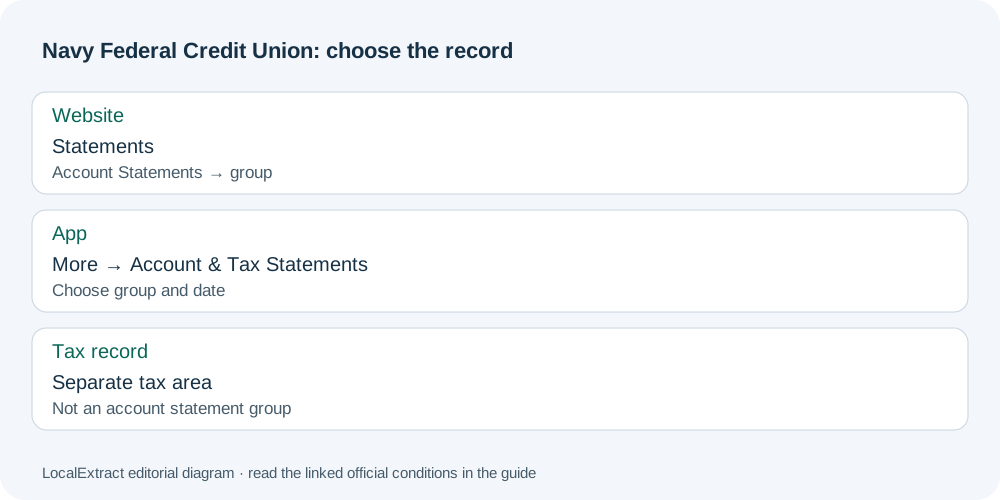
Choose the correct statement group
The current Navy Federal digital-banking tutorial gives:
- Sign in and open the statement area for your channel.
- Open the Account Statements dropdown.
- Choose Combined Checking & Savings, Credit Card & Loans, or Certificates & IRAs as appropriate.
- Browse the statement dates and open the required statement; the website tutorial uses View.
An IRA is an Individual Retirement Account. Tax statements occupy a separate area. If a record is absent, first reconsider the selected group: a checking-and-savings statement is not a complete list of every credit-card, loan or retirement statement available to that member.
Understand the paperless history
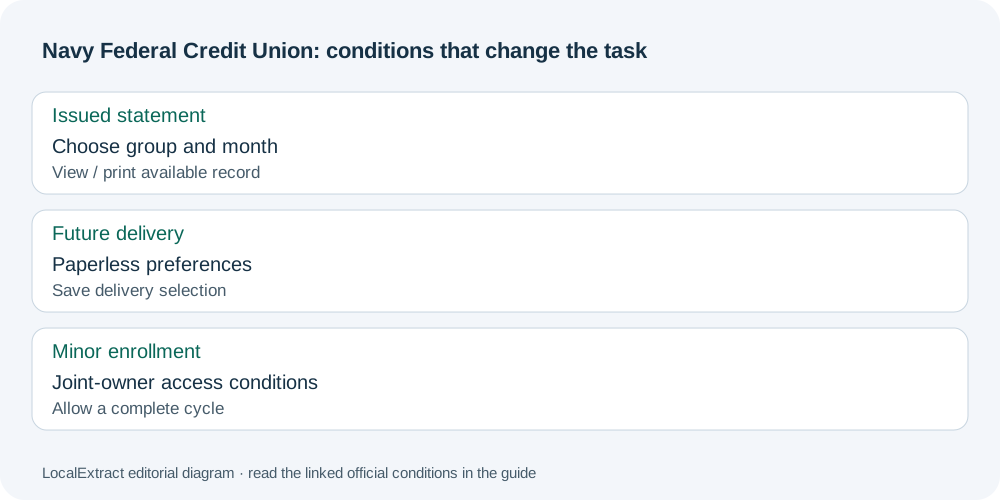
Navy Federal’s paperless-statement page describes up to 36 months of saved statements for viewing and printing. Its enrollment process uses Statements → Paperless Delivery Preferences, followed by selecting and saving delivery choices. That save action records a preference; it does not itself save an issued statement file.
| Task | Relevant choice |
|---|---|
| Find an issued checking/savings record | Account Statements → Combined Checking & Savings |
| Locate a card or loan statement | Credit Card & Loans group |
| Change future delivery | Paperless Delivery Preferences |
| Find a tax document | Separate tax-statement area |
The public instructions establish viewing and printing, without specifying a current downloadable file extension or a native CSV (comma-separated values) transaction export. Use the actual available record controls; a website View label does not by itself establish a PDF (Portable Document Format) download.
Minor accounts have a different enrollment condition
The paperless page’s minor-account provisions explain that an adult joint owner for a minor aged 0–17 needs the NFCU 97MI form to obtain trusted-user access, then enroll the relevant combined checking/savings statement. It can take one complete statement cycle to take effect. The page also allows members aged 14–17 to enroll in digital banking and update delivery preferences themselves.
For a family retrieving records, this affects who can arrange electronic delivery and when to expect the change. Trusted-user access is not granted when multiple accounts have different joint owners. Resolve that access condition with Navy Federal rather than assuming the adult can use one combined statement for every minor account.
Request an additional statement copy
Navy Federal’s member statement-copy guidance directs members requesting their own additional copies to a local branch. That member route is distinct from the same page’s third-party legal-process instructions. Availability, delivery format and any fee for your period need confirmation; the online window does not settle those questions.
For account assistance, the current Contact Us page gives a secure website route after signing in: envelope icon → Create a New Message. Ask which copy option applies to the missing period.
Record the unresolved item before requesting help
The Navy Federal statement planner keeps the account group, issued month and delivery task separate. For a record you cannot find, note the group searched and the missing period. Keep member identifiers out of this downloadable checklist.
Once you have a suitable saved PDF, LocalExtract can extract one PDF locally to date,description,amount CSV; Excel can save the checked CSV as an XLSX workbook. The CSV formatting guide covers the shared spreadsheet steps. Download LocalExtract.
Start with the correct Account Statements group and date. Use paperless settings only for delivery changes, and apply the separate minor-account access conditions when an adult is acting for a child.
Official sources checked October 13, 2026. This revision replaces the repeated conversion exercise with statement-group and enrollment decisions.
LocalExtract Team
We build LocalExtract, a desktop bank statement converter. Questions or corrections? Contact · Editorial policy