
KeyBank statements: DocHub, paperless settings and record types
Updated · 3 min read
The desktop apps export date, description, and amount as CSV. Open CSV in Excel to save an XLSX workbook. Statement support varies: verify the result against your own PDF.
Set statement delivery in DocHub
KeyBank’s online statement page gives this online-banking enrollment route:
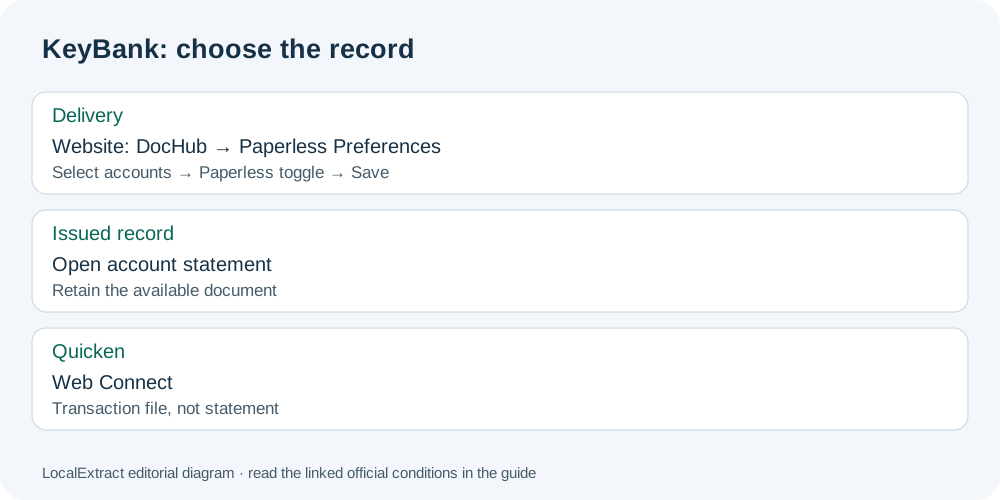
- Sign in on the KeyBank website and open DocHub.
- Select Settings → Paperless Preferences.
- Choose individual eligible accounts or all accounts.
- Change the selected accounts’ Preferences toggle to Paperless.
- Save the delivery selection.
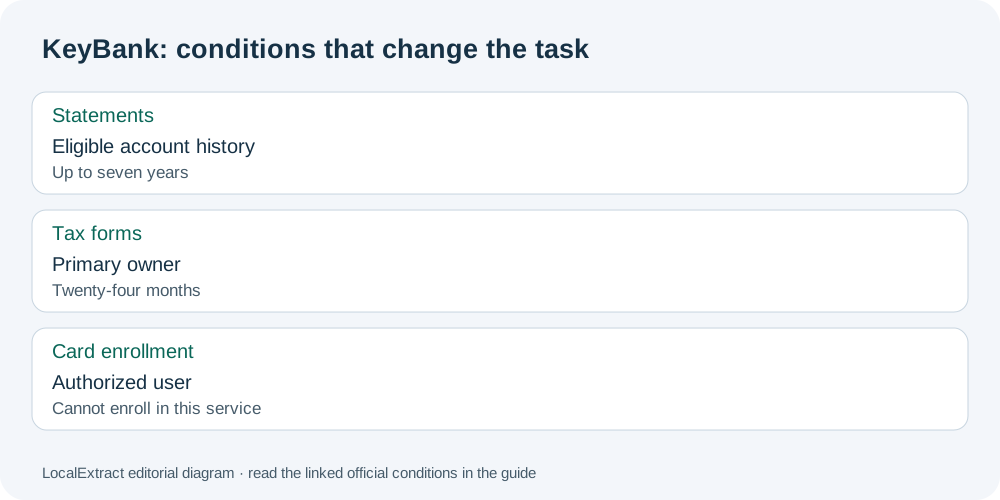
The page describes up to seven years of online statements for eligible accounts. An email notification tells you a statement is ready to view after signing in. Treat the notification as a prompt to retrieve the document, not as the statement attachment.
For a previously issued record, stay with the account’s statements rather than changing its delivery preferences. KeyBank’s document-delivery authorization permits saving or printing electronic records. Use the available document controls after opening the record; the enrollment sequence above is not a verified series of PDF download buttons. PDF means Portable Document Format.
Check which record and account role apply
| Need | KeyBank condition | Practical consequence |
|---|---|---|
| Account statements | Up to seven years for eligible accounts | Select the account before judging its history |
| Tax documents | Twenty-four months online; primary owner access | Do not use the tax archive to infer statement retention |
| Credit-card paperless enrollment | Authorized users cannot enroll in this service | Have the appropriate account holder handle enrollment |
| Combined statement membership | Adding/removing accounts uses a branch or Contact Center | A delivery toggle does not regroup accounts |
The tax, card-role and combined-account conditions come from the delivery authorization. A joint owner, authorized card user and primary tax owner are different roles; eligibility in one context should not be reused in another.
When the statement opens in another window
KeyBank’s online-banking FAQ says statements can open in a separate window. Check for that viewer if the document seems not to appear. Opening the viewer and retaining a local copy are separate actions: reopen your saved file before ending the task.
The same FAQ documents Web Connect, a transaction-file route into Quicken using QFX files on Windows and Mac. That software route serves transaction analysis; it is not the issued statement, and the FAQ does not establish a KeyBank CSV (comma-separated values) export. Choose it only when Quicken is the intended destination, rather than renaming a software file for Excel.
Keep a record of the choice
Use the KeyBank record planner to note the account role, document type and whether you changed delivery or retained an issued record. It is a manual checklist; leave account numbers and passwords out. For spreadsheet work, the shared CSV formatting guide covers importing and checking the resulting rows.
LocalExtract can process one saved PDF locally into date,description,amount CSV. Excel can save that CSV as an XLSX workbook. Download LocalExtract and review its limits.
For the next statement, set delivery in DocHub; for an existing statement, open and save the record. Keep the tax archive and Quicken transaction route separate from both tasks.
Official sources checked October 13, 2026. This revision replaces the generic conversion walkthrough with KeyBank record and delivery decisions.
LocalExtract Team
We build LocalExtract, a desktop bank statement converter. Questions or corrections? Contact · Editorial policy