
Fifth Third eStatements: paperless settings and two-year history
Updated · 3 min read
Corrected October 12, 2026: bank record choices and limits.
The desktop apps export date, description, and amount as CSV. Open CSV in Excel to save an XLSX workbook. Statement support varies: verify the result against your own PDF.
Set delivery, then retrieve the available record
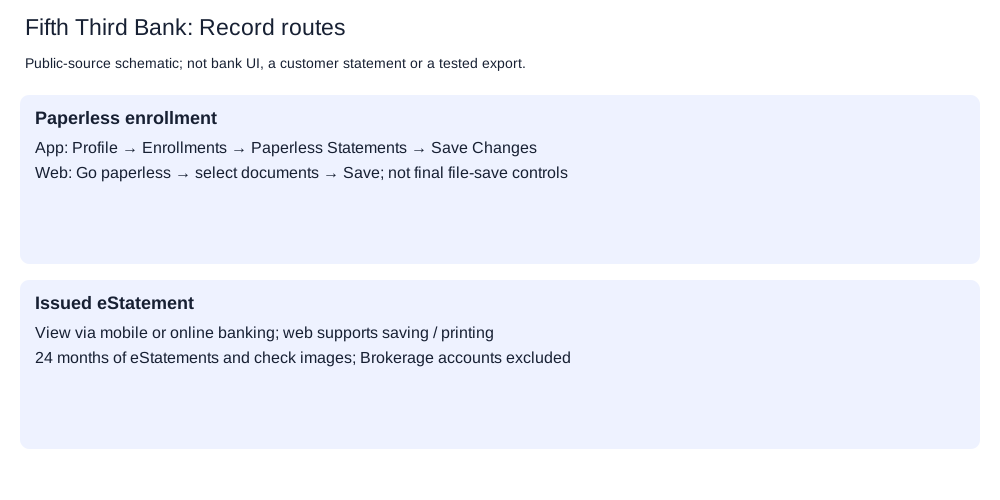
Fifth Third's paperless instructions give these delivery controls:
In the app:
- Open Profile → Enrollments → Paperless Statements.
- Choose the documents for electronic delivery.
- Select Save Changes.
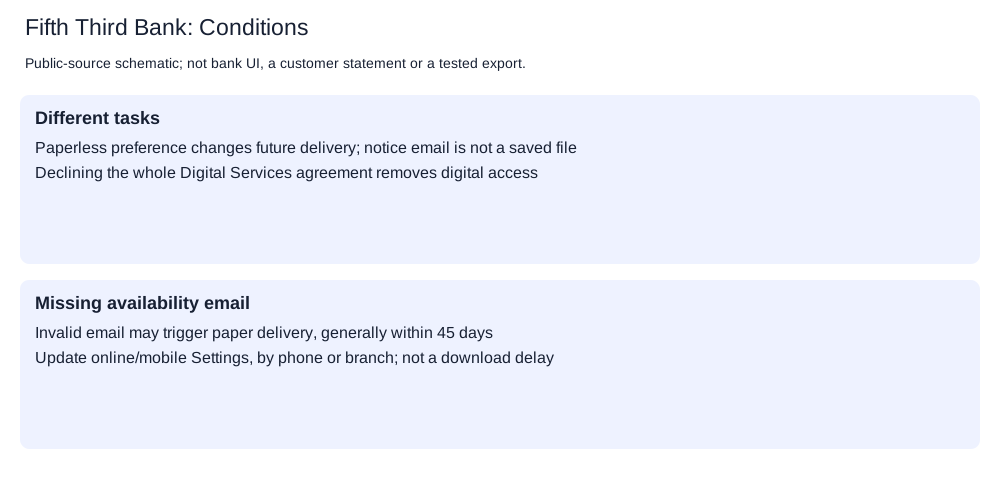
On the website, use Go paperless, select the documents and Save. Online banking and the app can also restore mailed statements. Phone or branch assistance is available under the account's conditions: Digital Services agreement, page 2. Declining that entire agreement removes Digital Services access; changing statement delivery alone is a different action.
For an available eStatement, use the website's viewing, printing or saving facility. The twenty-four-month service also includes check images, but those images are not the statement. Fifth Third Securities Brokerage is excluded; its account holders should use their financial adviser for electronic access.
When a statement notice or paper copy is missing
With correct contact details, Fifth Third emails a notice when an eStatement is available. The agreement says an undeliverable document or notice counts as withdrawal of electronic consent; paper documents generally begin within forty-five days, until a valid address is supplied. Update Settings online or in the app, or use phone or branch assistance.
That forty-five-day period concerns resumed paper delivery, not the date a missing file becomes downloadable. To obtain a paper copy, use Contact Us or 800-972-3030. Production and delivery charges may apply under the account agreement.
Software connections have different limits
Fifth Third's software FAQ covers checking, savings and credit accounts through Quicken or QuickBooks. It lists Direct Connect transaction downloads (a connection from financial software to the bank) and excludes QuickBooks Web Connect (importing a downloaded bank .qbo file). Intuit explains these connection terms.
| Task | Applicable choice |
|---|---|
| Change future statement delivery | Paperless controls above; do not decline the entire Digital Services agreement for this task |
| Retrieve a bank eStatement | Online banking's available statement; up to twenty-four months, excluding Securities Brokerage |
| Retrieve a Securities Brokerage record | Financial-adviser channel, outside this eStatement service |
| Connect the named financial software | Evaluate Direct Connect; QuickBooks Web Connect is unsupported |
Current final save controls, statement file type, closed-account history and browser CSV (comma-separated values) exports remain unconfirmed. Named software versions were not tested.
Planner and analysis
Record-request planner. CSV formatting and checks.
LocalExtract processes one PDF (Portable Document Format) locally to date,description,amount CSV; Excel can save that CSV as an XLSX workbook. Downloads and limits.
Official sources checked October 12, 2026.
LocalExtract Team
We build LocalExtract, a desktop bank statement converter. Questions or corrections? Contact · Editorial policy