
Ally Bank records: CSV exports, combined statements and closed accounts
Updated · 3 min read
The desktop apps export date, description, and amount as CSV. Open CSV in Excel to save an XLSX workbook. Statement support varies: verify the result against your own PDF.
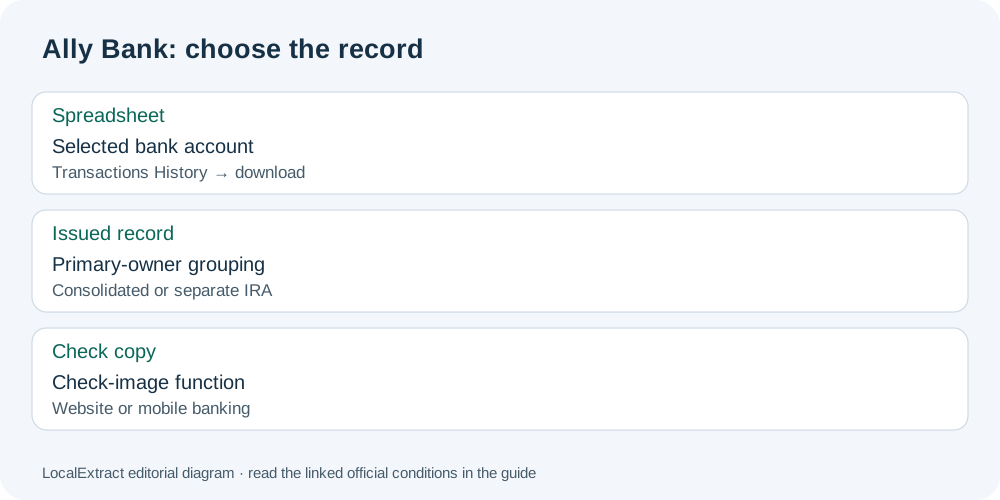
Export transactions for the selected account
The Ally account-information FAQ describes:
- Select your bank account.
- Open its Transactions History.
- Choose the download icon.
- Use CSV for a spreadsheet or QFX for Quicken.
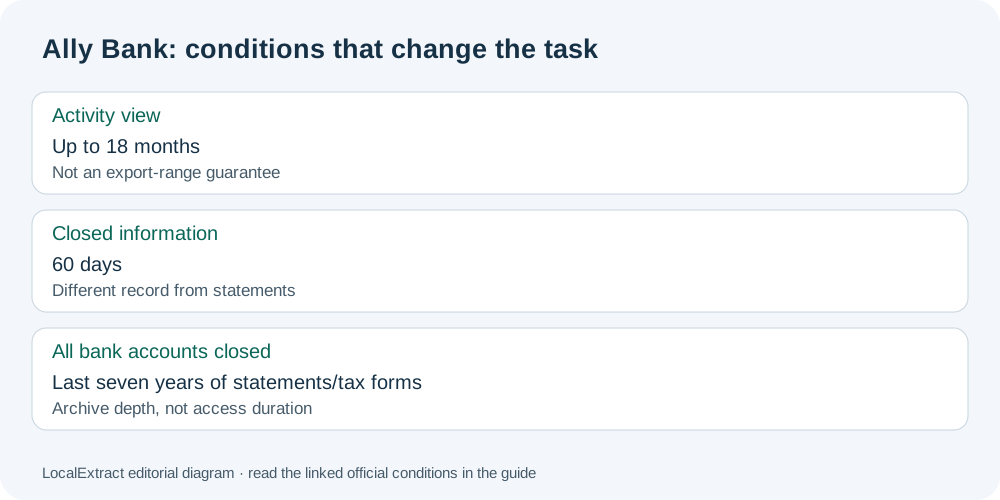
The FAQ says activity can be viewed for up to 18 months. That is a viewing statement, not a documented maximum CSV export interval or statement archive. Check the offered dates in your own account before relying on a requested export period.
Understand the issued statement’s grouping
The current Ally Bank Deposit Agreement, dated October 10, 2026, in its statement provisions, limits consolidated statements to accounts on which you are the primary owner. Individual Retirement Accounts (IRAs) receive separate statements. A combined statement therefore does not establish that every account visible to you belongs in the same document.
Use the ownership grouping to decide whether a second statement is expected. If an IRA record is missing, search for its separate statement instead of assuming that the checking statement contains it. For a joint account, establish the primary-owner designation before treating absence from a consolidated document as a missing transaction.
| Record choice | Appropriate check |
|---|---|
| Selected-account CSV | Confirm which account and date selection produced the file |
| Consolidated statement | Check the primary-owner grouping before adding another account’s export |
| IRA statement | Look for the separate retirement-account record |
Match the cycle and closure condition
The account FAQ describes monthly statements for checking, money-market and savings accounts; CDs (certificates of deposit) and IRAs normally receive quarterly statements. A CD with an electronic transfer gets a statement for that transfer month. The cycle’s end day follows the account-opening day.
The same FAQ distinguishes 60 days of closed-account information from access to the last seven years of statements and tax forms when all Ally Bank accounts are closed. These are different records and conditions. The archive depth does not establish a seven-year access duration or continued transaction exporting after closure.
Request a copy without changing electronic consent
Ally’s current electronic consent, version 1.0.4 gives 1-877-247-2559 for Bank deposit customers requesting mailed copies of digital documents. Request the needed copy directly; withdrawing electronic consent affects broader online services and is a different task.
Separate check images from a spreadsheet
The deposit agreement’s check-image provision describes viewing and printing check images through the website or mobile banking. Retrieve that image separately if you need the check itself: a CSV transaction row is not a copy of the instrument.
Use the Ally record planner to note account grouping, cycle, closure condition and whether the requested item is a transaction file, statement or check image. The checklist is for your own record search; it does not connect to Ally.
For the CSV you exported, follow the shared CSV import and verification guide. If your source is a saved PDF (Portable Document Format), LocalExtract processes one PDF locally into date,description,amount CSV; Excel can save it as an XLSX workbook. Downloads and product limits.
Choose the native account export for spreadsheet rows. Choose the correctly grouped statement for the issued cycle, and apply the closure rule to that record type rather than extending it to every banking function.
Official sources checked October 13, 2026. This revision replaces the generic conversion exercise with Ally’s record-selection and ownership conditions.
LocalExtract Team
We build LocalExtract, a desktop bank statement converter. Questions or corrections? Contact · Editorial policy