
How to Download Chase UK Bank Statements as PDF
Updated · 6 min read
Use Chase UK’s profile and Monthly statements route, not Chase US instructions. This guide covers the UK product and the task described below.
The desktop apps export date, description, and amount as CSV. Open CSV in Excel to save an XLSX workbook. Statement support varies: verify the result against your own PDF.
Find the UK statement rather than the activity screen
Chase UK’s statements help describes profile icon → Statements → Monthly statements. Select the required account document and use the offered PDF or CSV export. The page describes monthly bank statements on the second of the month, card statements on the third, and a record when an account closes. These are UK product instructions, not the Chase US document manager.
Choose the product and actual period shown in the document. The help distinguishes monthly documents from custom statements covering up to 90 days. Do not call a custom range a complete monthly cycle unless its dates actually match. The page also says former customers can access statements in the app for up to six years from generation; this is a stated access condition, not a promise that every particular missing file is present.
| Document choice | Appropriate purpose | Check |
|---|---|---|
| Monthly bank statement | Preserve a completed bank period | Actual account and printed dates |
| Card statement | Preserve that card’s billing record | Card product and cycle, not a deposit balance |
| Custom statement | Obtain a chosen range within the offered limit | Start/end and overlap with other files |
| Interest statement | Review the bank’s interest record | It is not a substitute for every transaction in a monthly record |
Save and inspect the actual record
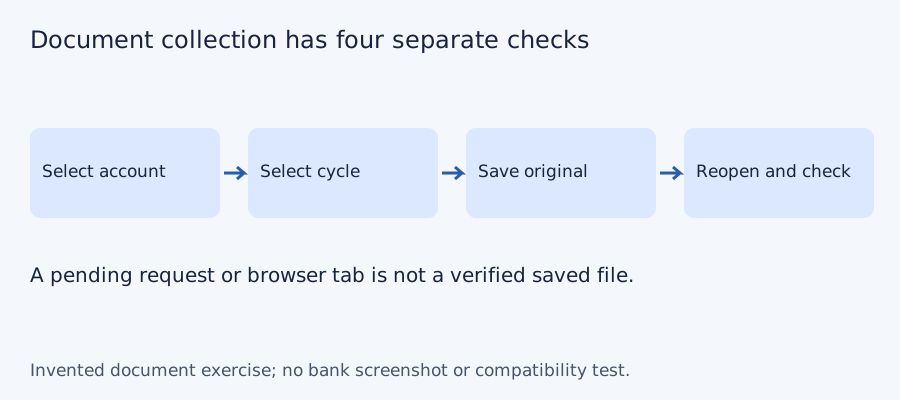
Open the PDF saved from the app outside its viewer. Check the account, document title, period and all pages. If the device needs a PDF reader, use a trusted reader rather than software promoted in an unsolicited message. Record an account alias and the file’s actual dates in the collection checklist. Keep a separate CSV copy if you need spreadsheet rows, preserving the original document.
For several custom ranges, compare the endpoints before joining. One file can overlap another even when both are valid downloads. Count unique coverage, not filenames. If an expected monthly record is absent, check whether you selected the correct product and finished period, then consult the bank through its official support. Do not substitute the latest activity screen or a card record for a missing bank statement.
Why a payment can appear in another month
Chase UK explains that app activity is ordered by when payments were made, while a statement uses the completed date after the merchant confirms completion. A payment made near month-end can therefore appear in the next statement. The bank’s explanation does not identify the dates in your particular CSV; read its headers and entries.
For an invented example, a payment initiated on 30 August and completed on 2 September belongs to the completed-date record when that is the statement’s basis. Do not change its date to force August totals to match the activity screen. For spreadsheet treatment, use the Chase UK CSV dates guide. This collection guide establishes the source and period first.
Test the collection checklist with four invented periods
We checked set membership for three deliberately constructed document lists on October 11, 2026. The desired periods are P1, P2, P3 and P4; these aliases do not represent a bank’s actual monthly cadence or archive. A complete list has four files and four unique periods. Omitting P3 leaves three files and a gap. Downloading P2 twice gives five files but still only four unique periods. More files do not necessarily mean more coverage. No bank account, PDF, OCR output or LocalExtract result was tested.
| Invented case | File count | Unique periods | Missing period |
|---|---|---|---|
| Complete | 4 | 4 | None |
| P3 absent | 3 | 3 | P3 |
| P2 saved twice | 5 | 4 | None |
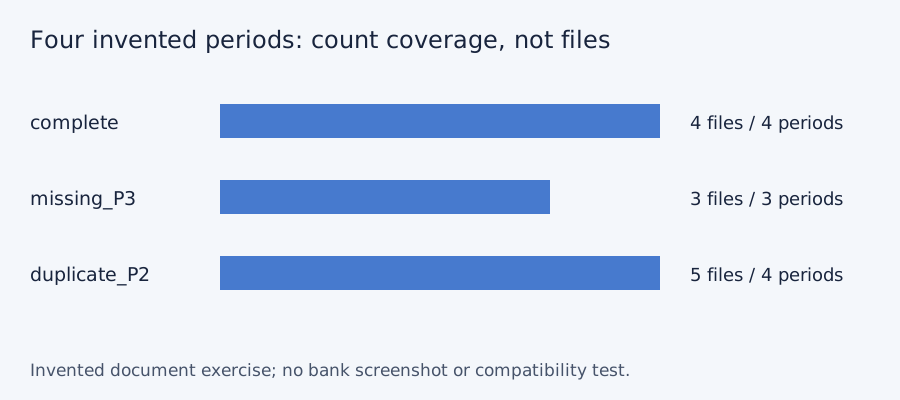
Blank document-collection checklist · constructed CSV results · inputs and method in JSON. Use aliases rather than full account numbers; adapt the actual period list to the documents your account issues.
Frequently Asked Questions
Are these Chase US steps?
No. They are for Chase UK. The US app and its archive rules are a different product and market.
How long can a custom range be?
The cited UK help describes up to 90 days. Inspect the dates actually offered and do not assume a custom range is a finished monthly record.
Why does a statement’s order differ from app activity?
Chase UK describes statement dates based on completion after merchant confirmation, while activity can reflect when the payment was made.
Can former customers still obtain a record?
The page describes app access up to six years from generation. Ask Chase UK about a missing specific record rather than treating this as guaranteed availability.
If PDF is the relevant source
LocalExtract processes one PDF at a time on the device and exports CSV with date,description,amount. Parsing and OCR do not require uploading the statement. This is a working table that needs comparison with the original; no bank compatibility was validated here. There is no direct XLSX, QBO or OFX export, bulk queue or automatic accounting sync. To obtain XLSX, import the checked CSV and save from Excel.
The free evaluation covers ten pages in total. Pro is USD 10/month or USD 60/year. Account, subscription, update and periodic Pro checks need network access. See downloads and product scope.
Sources and verification scope
Public official guidance checked October 11, 2026. Account controls, document availability and bank layouts were not authenticated-tested. The method exercises use invented records, not actual bank samples or measured extraction results.
Updated October 11, 2026: Clarified the document route, product limits and file-coverage checks. No bank format or app output was validated.
Collect the UK record for the actual product and period, reopen it and retain its completion-date meaning. Choose available native CSV for transactions and PDF for the original document.
LocalExtract Team
We build LocalExtract, a desktop bank statement converter. Questions or corrections? Contact · Editorial policy