
How to Download Charles Schwab Account Statements on Mobile
Updated · 5 min read
In Schwab Mobile, open Profile, choose Statements, select the account and date/document filters, then open the statement and use its export icon. The account product matters: a cash statement and a portfolio or tax document answer different questions. This guide explains that official mobile route without promising a checking or brokerage PDF layout.
This guide is for account holders preparing their own records; it does not retrieve records for someone else.
PDF preserves the document’s pages. CSV is a text table of separated values; XLSX is an Excel workbook. A working table is your analysis copy, not the issued bank record.
The desktop apps export date, description, and amount as CSV. Open CSV in Excel to save an XLSX workbook. Statement support varies: verify the result against your own PDF.
What the bank source establishes
| Bank fact | Scope to preserve | Source |
|---|---|---|
| Schwab’s mobile tutorial provides statement access through Profile and Statements, with account, date and document-type filters. Bank and brokerage products must still be distinguished: the statement-design guide concerns brokerage and does not establish a checking-account layout or export of holdings, tax lots or cost basis. | Statement documents and account history serve different purposes. A current bank-specific CSV procedure was not established by the accessible sources. | Charles Schwab |
In the bank app
- Open the Profile icon in Schwab Mobile and choose Statements.
- Select the required account.
- Filter the date range and document type.
- Open the statement and use the export icon at the top right.
Build a cash table without inventing investment fields
Schwab’s mobile statement tutorial selects the account and document type before opening a file. That matters because a document list can serve banking and brokerage tasks. For an Excel cash ledger, identify the cash-movement section actually present in your file. A share quantity, market value or cost-basis figure is not a cash payment. If the request is for holdings or tax lots, obtain the corresponding records rather than expecting a three-column converter to recreate them.
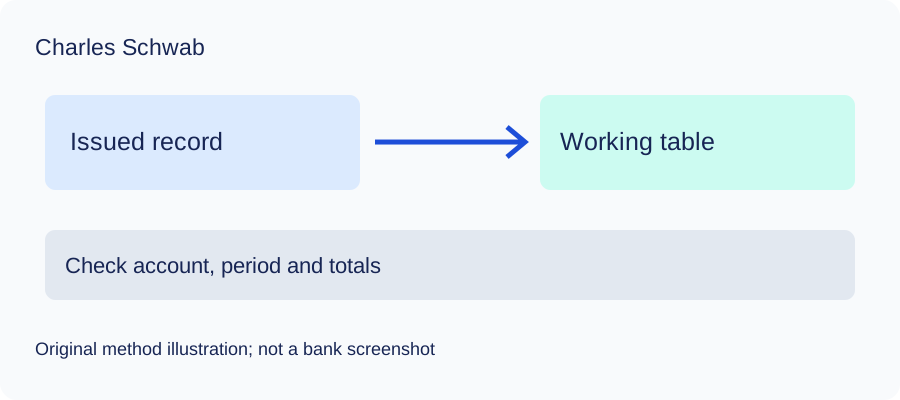
A working table you can reproduce
- Preserve the original document and record its account, currency and period.
- Enter one posted movement per row; do not copy a page heading or balance as a transaction.
- Choose the date meaning from the actual document and preserve any second date in a separate manual column.
- Carry debit/credit meaning into the amount sign. Compare every page and resolve unreadable entries.
- Save CSV only after the checks, then open it in Excel and save XLSX there if needed.
Use opening balance plus signed movements for a deposit account, or opening amount owed plus liability-signed movements for a card. Compare the result with the closing figure on your original document. A zero difference checks this total only; it does not prove descriptions, dates or every individual row are correct.
Microsoft’s CSV import guidance explains delimiter and date interpretation. Review both before calculating totals. RFC 4180 describes quoting commas and quotation marks in CSV; the learning files use that common convention.
Check the method with invented records
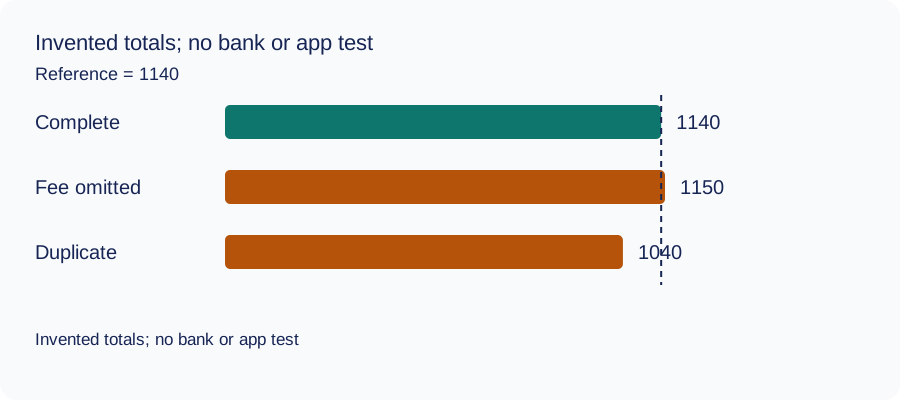
We recomputed three deliberately constructed cases on October 11, 2026 using decimal arithmetic: complete rows, an omitted fee and a duplicated movement. The reference total and every number are invented. This checks the reconciliation method only: no bank account, real PDF, OCR result or LocalExtract output was tested. The same learning aid is used across these guides.
| Case | Calculated closing total | Difference from reference |
|---|---|---|
| Complete rows | 1140 | 0 |
| Fee omitted | 1150 | 10 |
| Movement duplicated | 1040 | -100 |
Illustrative units, not a real account balance.
Download the blank document checklist or synthetic check data. CSV · JSON.
Frequently Asked Questions
Does this reconstruct a brokerage portfolio?
No. The workflow covers a checked cash-movement table. Holdings, securities quantities, trade lots and tax calculations need the relevant investment records and additional fields.
Does this prove my PDF works with LocalExtract?
No. Public bank instructions and synthetic arithmetic are not bank-format validation. Try the free evaluation on your own file and check the result against it.
Can I replace the issued statement with the CSV?
Keep the issued document. A working table omits document layout and may omit fields; ask the recipient which original record it requires.
Can I share the original publicly for help?
Avoid publishing complete statements, account numbers or access codes. Use the bank’s authenticated support for banking questions and minimise/redact any conversion-support material.
If your source is a PDF
LocalExtract processes one PDF at a time on your device and exports CSV with date,description,amount. It does not directly create XLSX, QBO, OFX or JSON, supply a conversion API, or automatically synchronise accounting software. No real bank sample/output pair was validated for this guide. The free evaluation covers ten pages in total; Pro is USD 10/month or USD 60/year. Parsing and OCR are local; account, subscription, update and periodic Pro checks need network access.
See downloads and current product limitations.
Sources and verification scope
Public official guidance checked on October 11, 2026. Account screens were not tested. Follow the current product-specific interface; this guide does not guarantee extraction accuracy or bank acceptance.
Updated October 11, 2026: clarified the actual bank-document scope, added a document checklist and synthetic reconciliation data, and removed inaccessible references where present. These changes do not establish bank-format compatibility.
Choose the appropriate bank record first, complete the checks above, and keep the original alongside your spreadsheet.
LocalExtract Team
We build LocalExtract, a desktop bank statement converter. Questions or corrections? Contact · Editorial policy