
YouBiz: pair currency-account PDFs with transaction logs
Updated · 3 min read
For YouBiz month-end records, request a PDF for each required currency account or sub-account, then collect transaction logs separately. A multi-account CSV does not replace each account’s period-balance document, and an employee’s own card view cannot establish company-wide coverage.
The desktop apps export date, description, and amount as CSV. Open CSV in Excel to save an XLSX workbook. Statement support varies: verify the result against your own PDF.
Define the account inventory before exporting
An account inventory is your list of required account/currency/period combinations, not a count of downloaded files. Ask an authorized company user to establish it; use internal aliases in shared working notes. Include historical sub-accounts needed for the period. YouBiz’s current export guidance says deleted sub-accounts remain viewable and exportable; deletion alone is not a reason to omit their historical records.
- In the web dashboard, open Transactions → Export Accounting Statements.
- For each required PDF, choose one Currency Account or Sub-Account and the dates, then Generate as PDF. The documented PDF range is up to one year and includes opening/closing balances.
- For working logs, select the appropriate format, accounts/filters and attachments, then Download. Standard CSV/XLS can cover multiple accounts; named accounting templates remain single-account exports.
- Verify account, currency and period inside the received documents. Preserve the account names used in transaction filenames and attachment folders.
- Track requested attachments separately. A download link may arrive by email; a missing email is an unresolved delivery, not evidence of no transaction.
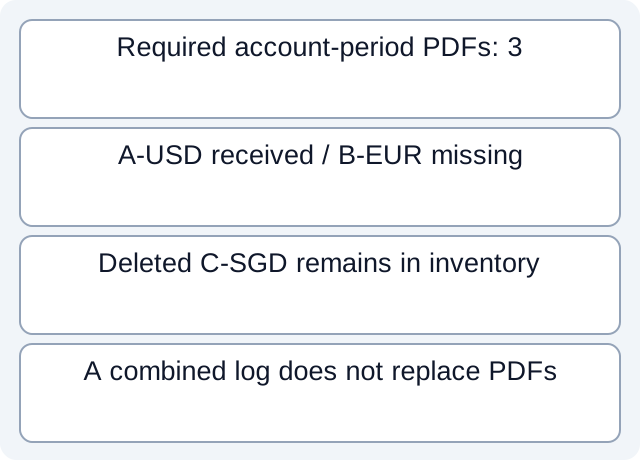
Three requested PDFs, two received
Our downloadable fictional register requests September 2026 PDFs for A-USD, B-EUR and C-SGD. It records PDF-A and PDF-C received, with B-EUR missing; C is explicitly a deleted sub-account. We actually read this CSV and compared required account-period rows with received-document states: two of three are present. A separate combined log does not close B’s PDF gap.
| Required teaching alias | Period PDF | Remaining task |
|---|---|---|
| A-USD | Received | Check its account/period contents |
| B-EUR | Missing | Request that account’s PDF |
| C-SGD, deleted | Received | Retain its historical evidence |
The inventory is stipulated by this fictional case. It does not prove that these are all accounts of any real organization. YouBiz mobile permissions limit General users to their own card transactions; their file alone cannot close an organization-wide collection request.
Hand off gaps at the right level
Keep missing period PDFs, log account coverage and attachment delivery as different findings. Do not add USD and SGD balances into an unlabelled total. A named accounting export still needs its actual destination schema checked; its name does not certify an import. Use the period-coverage guide for shared date-boundary checks after obtaining the correct account documents.
Download the fictional document register and executed comparison. These are author-defined teaching fields, not a YouBiz export or an executed account download.
When an issued bank source is only PDF, LocalExtract prepares a local CSV, one PDF at a time, with date,description,amount. Verify the extracted rows and keep account identity with the job; those three fields do not establish it automatically.
Official documentation checked October 17, 2026. No real organization inventory, deleted-account export or bank-format compatibility test was performed.
LocalExtract Team
We build LocalExtract, a desktop bank statement converter. Questions or corrections? Contact · Editorial policy