
USAA Card Statements: Document Filters and CSV Checks
Updated · 6 min read
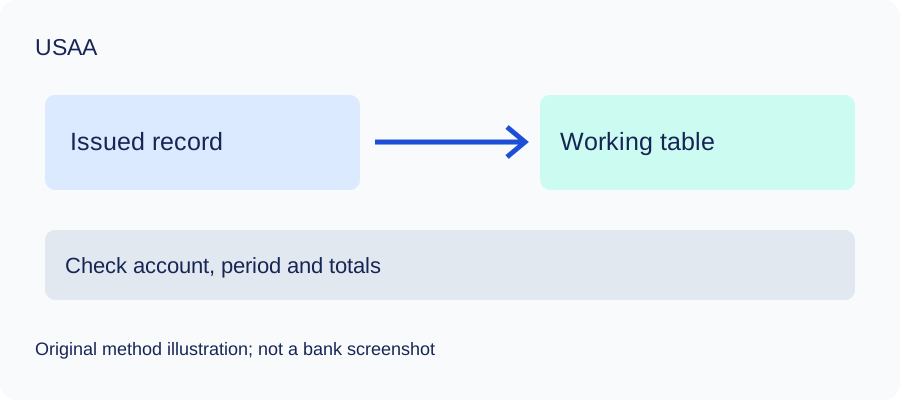
For a USAA card working table, first identify the issued billing statement. USAA’s public My Documents help explains date filters and controls for an existing document, but it does not establish the bank-specific category menu or an ordinary statement’s PDF format. This guide uses that limited scope and a checked manual spreadsheet method.
This guide is for account holders preparing their own records; it does not retrieve records for someone else.
PDF preserves the document’s pages. CSV is a text table of separated values; XLSX is an Excel workbook. A working table is your analysis copy, not the issued bank record.
The desktop apps export date, description, and amount as CSV. Open CSV in Excel to save an XLSX workbook. Statement support varies: verify the result against your own PDF.
Find the card record without inventing its menu
USAA’s My Documents FAQ describes Filter and Delivery date beyond an initial 18-month view, with availability varying by document. For an already opened document, Menu offers download or print. These are general document controls, not a verified card-category path or ordinary PDF format. The USAA card agreement, section E.4, confirms a separate billing statement and electronic delivery when agreed. It does not supply a universal archive period.
Delivery date is not a transaction date or a billing-cycle boundary. First find the actual card billing record, then read its printed period. If the initial list is empty for an older delivery date, widen that filter. If the required record is still unavailable, ask USAA about that card and period; do not substitute an insurance notice. No authenticated screen or real card document was tested for this guide.
Map an amount-owed table
This guide is for cardholders preparing a checked working table, not a source for retrieving someone else’s records. Purchases and fees increase the amount owed; credited payments and refunds reduce it. In this convention, an increasing liability is positive. A payment leaving a checking account has a different meaning and must not be counted as another card purchase.
| Invented entry | Working amount | Interpretation |
|---|---|---|
| Purchase | 120.00 | Increase amount owed |
| Second purchase | 80.00 | Increase amount owed |
| Refund credited | -30.00 | Reduce amount owed |
| Payment credited | -200.00 | Reduce amount owed |
| Fee | 5.00 | Increase amount owed |
Starting with an invented 500-unit amount owed produces 475 illustrative units. This is a teaching example, not USAA’s layout, output or actual spending. A refund can relate to an earlier purchase but post in a later cycle. For reconciliation keep the date and cycle in which the record posts it; link it to a purchase in a separate analysis column if needed. A due date is not the row’s date.
Keep dates and CSV fields explicit
A synthetic row 2026-09-08,Example refund,-30.00 demonstrates date,description,amount. The date is a chosen posted-movement date, not the day the statement was delivered or saved. If both transaction date and posting date are present and matter, retain the second in a manual worksheet. The three-field converter cannot preserve every attribute of the original.
Use Data → From Text/CSV in Excel and inspect delimiter, date interpretation and numeric amount types before loading. Microsoft’s import guide explains these choices. Descriptions containing commas require quotation marks; RFC 4180 describes that text-file convention. Check each page and compare the actual cycle’s opening amount owed plus signed movements with its closing amount owed, when those comparable figures are supplied. A matching total does not validate every date or description.
Check the method with invented records
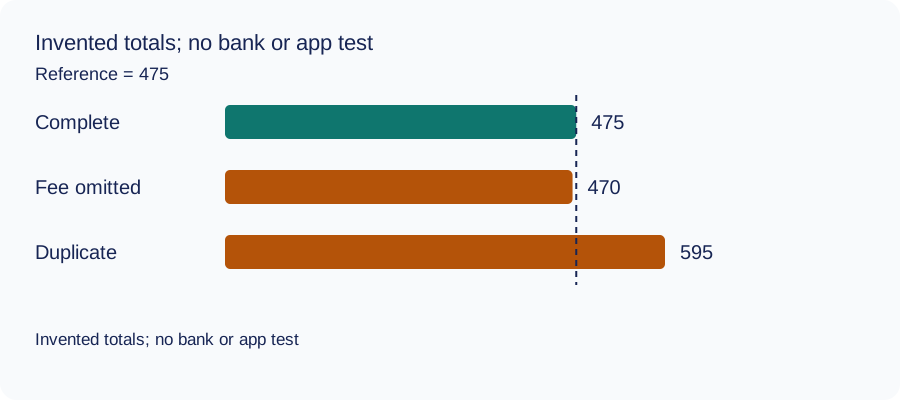
We recomputed three deliberately constructed cases on October 11, 2026 using decimal arithmetic: complete rows, an omitted fee and a duplicated movement. The reference total and every number are invented. This checks the reconciliation method only: no bank account, real PDF, OCR result or LocalExtract output was tested. The same learning aid is used across these guides.
| Case | Calculated closing total | Difference from reference |
|---|---|---|
| Complete rows | 475 | 0 |
| Fee omitted | 470 | -5 |
| Movement duplicated | 595 | 120 |
Illustrative units, not a real account balance.
Download the blank document checklist or synthetic check data. CSV · JSON.
Frequently Asked Questions
Does the 18-month view define the card archive?
No. It is the initial general document-view filter. Availability varies; extend Delivery date and ask USAA about a missing specific card record.
Is the document delivery date the CSV date?
No. Use the selected date of each actual posted movement. Keep document delivery information in a separate source register.
Why is a payment negative?
This example models amount owed, so a credited payment reduces the liability. It is not the checking-account cash convention.
Does this verify a USAA PDF or app output?
No. The rows and totals are invented. General document help and card agreement text are not bank-format, OCR or LocalExtract compatibility evidence.
If your source is a PDF
LocalExtract processes one PDF at a time on your device and exports CSV with date,description,amount. It does not directly create XLSX, QBO, OFX or JSON, supply a conversion API, or automatically synchronise accounting software. No real bank sample/output pair was validated for this guide. The free evaluation covers ten pages in total; Pro is USD 10/month or USD 60/year. Parsing and OCR are local; account, subscription, update and periodic Pro checks need network access.
See downloads and current product limitations.
Sources and verification scope
Public official guidance checked on October 11, 2026. Account screens were not tested. Follow the current product-specific interface; this guide does not guarantee extraction accuracy or bank acceptance.
Updated October 11, 2026: replaced shared general instructions with account-specific source decisions, explicit working-row examples and task-specific questions. No real bank format or extraction was validated.
Identify the actual card cycle, document the liability sign convention and verify each working row. For deposit-account records, use the separate USAA bank-statement method.
LocalExtract Team
We build LocalExtract, a desktop bank statement converter. Questions or corrections? Contact · Editorial policy