
Starling Statements to Excel: CSV and Joint-Account Import Checks
Updated · 6 min read
Use feed-export CSV for a chosen transaction range within the past twelve months. This guide covers the UK product and the task described below.
The desktop apps export date, description, and amount as CSV. Open CSV in Excel to save an XLSX workbook. Statement support varies: verify the result against your own PDF.
Choose feed-export CSV for the required range
Starling’s current joint-account help separates monthly statements from transaction summaries. From the statement-history area, use Go to feed exports for custom-date activity within the past twelve months. The offered summary formats include CSV, PDF and large-print PDF. Inspect the actual selected dates and columns; this guide does not reproduce a native file layout.
Monthly originals use a different download route, offering PDF or large-print PDF. The general statements page describes their True Copy mark. A feed-export summary is not the verifiable monthly statement, even when its format is PDF. Prefer the available CSV for transaction analysis, preserve its untouched copy and keep the monthly original when evidence or cycle totals are needed. Do not manufacture a stamped spreadsheet or infer the old standard/certified choices still apply.
For a task outside the summary’s offered range, obtain the relevant original through the document collection guide or ask Starling about that account. Do not promise an older CSV merely because the monthly PDF exists. No authenticated account, real bank file or LocalExtract output was tested.
Keep joint ownership out of a duplicate rule
Two account holders can download the same joint-account period. Those files can be duplicate sources even when their filenames differ. Conversely, two identical-looking purchases within one source can be real separate movements. Record a source alias, account alias and period before importing. In Excel keep a separate source-register sheet so the three-field transaction view remains traceable.
| Invented situation | Collection decision | Row decision |
|---|---|---|
| Both holders supply the same account and period | Retain one import source; keep provenance of both copies | Do not import the whole period twice |
| Same amount occurs twice on one issued record | One source period | Verify both rows; do not delete by amount alone |
| Custom range overlaps a monthly record | Mark the overlap before joining | Compare identity and dates before deduplicating |
These situations are constructed method examples, not observations of Starling accounts. A full-period double import can still look plausible until compared with the original totals. A same-amount filter can remove legitimate activity. Resolve the source overlap first, then examine any row-level duplication against the bank record.
Create and import a checked cash table
For a chosen deposit account, make actual posted inflows positive and outflows negative. Preserve the meaning of the source date, and keep other attributes in additional manual columns if needed. Do not mix another account or currency into the same balance equation. This is an invented three-field example, not Starling’s native file:
date,description,amount
2026-09-01,Example receipt,250.00
2026-09-02,"Example payment, supplies",-100.00
2026-09-03,Example fee,-10.00
Choose Data → From Text/CSV in Excel, open the working file, inspect the comma separator, date types and decimal amounts, then load. Refer to Microsoft’s import guidance and RFC 4180 for quoted text fields. Save XLSX from Excel after checking; that is separate from the converter’s CSV export.
If comparable opening and closing balances are supplied for the same account, currency and period, compare opening plus signed movements with closing. Otherwise state that a balance reconciliation was unavailable and verify each row. Keep the original Starling document alongside the working table. Do not add a stamp, signature or bank logo to make your recreated file appear issued by the bank.
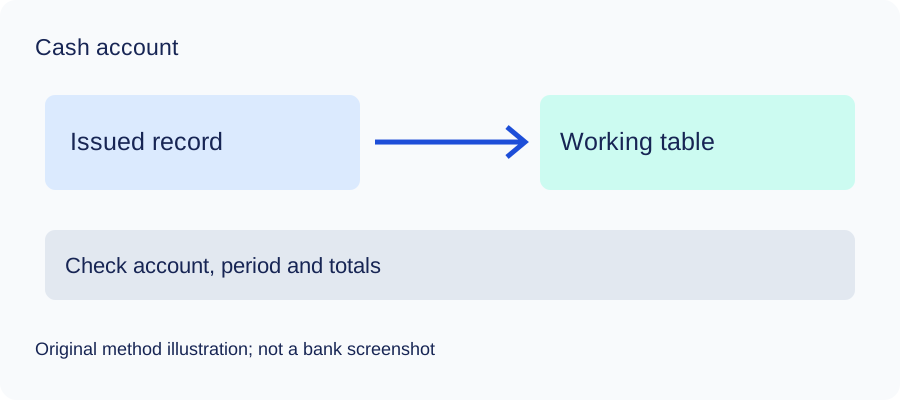
Check the method with invented records
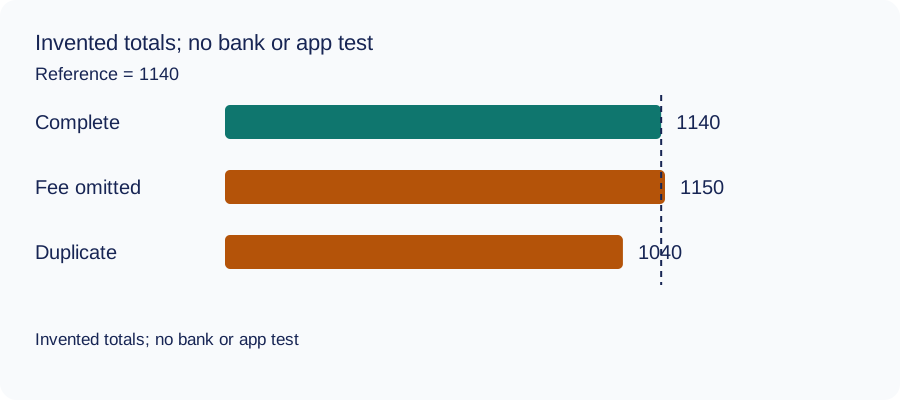
We recomputed three deliberately constructed cases on October 11, 2026 using decimal arithmetic: complete rows, an omitted fee and a duplicated movement. The reference total and every number are invented. This checks the reconciliation method only: no bank account, real PDF, OCR result or LocalExtract output was tested. The same learning aid is used across these guides.
| Case | Calculated closing total | Difference from reference |
|---|---|---|
| Complete rows | 1140 | 0 |
| Fee omitted | 1150 | 10 |
| Movement duplicated | 1040 | -100 |
Illustrative units, not a real account balance.
Download the blank document checklist or synthetic check data. CSV · JSON.
Frequently Asked Questions
Which native table should I inspect?
Use CSV actually offered by feed exports for the selected range within the published past-twelve-month condition. Monthly document downloads are a separate PDF route.
Are two equal amounts duplicates?
Not by themselves. Verify the source period, dates and transaction meaning; two separate payments can have the same amount.
What if both joint holders supply the same period?
Mark the source overlap and avoid importing the whole period twice. Keep the provenance and verify the selected account.
Can the working table be called certified?
No. Preserve any certification only in the bank-provided original document. A recreated or edited spreadsheet is your own working record.
If PDF is the relevant source
LocalExtract processes one PDF at a time on the device and exports CSV with date,description,amount. Parsing and OCR do not require uploading the statement. This is a working table that needs comparison with the original; no bank compatibility was validated here. There is no direct XLSX, QBO or OFX export, bulk queue or automatic accounting sync. To obtain XLSX, import the checked CSV and save from Excel.
The free evaluation covers ten pages in total. Pro is USD 10/month or USD 60/year. Account, subscription, update and periodic Pro checks need network access. See downloads and product scope.
Sources and verification scope
Public official guidance checked October 11, 2026. Account controls, document availability and bank layouts were not authenticated-tested. The method exercises use invented records, not actual bank samples or measured extraction results.
Updated October 11, 2026: Added task-specific source decisions, date/amount examples and CSV import checks. No bank format or app output was validated.
Check source overlap before loading a joint-account workbook. Prefer native CSV where available, retain the original document and verify each row before relying on totals.
LocalExtract Team
We build LocalExtract, a desktop bank statement converter. Questions or corrections? Contact · Editorial policy